nidhogg
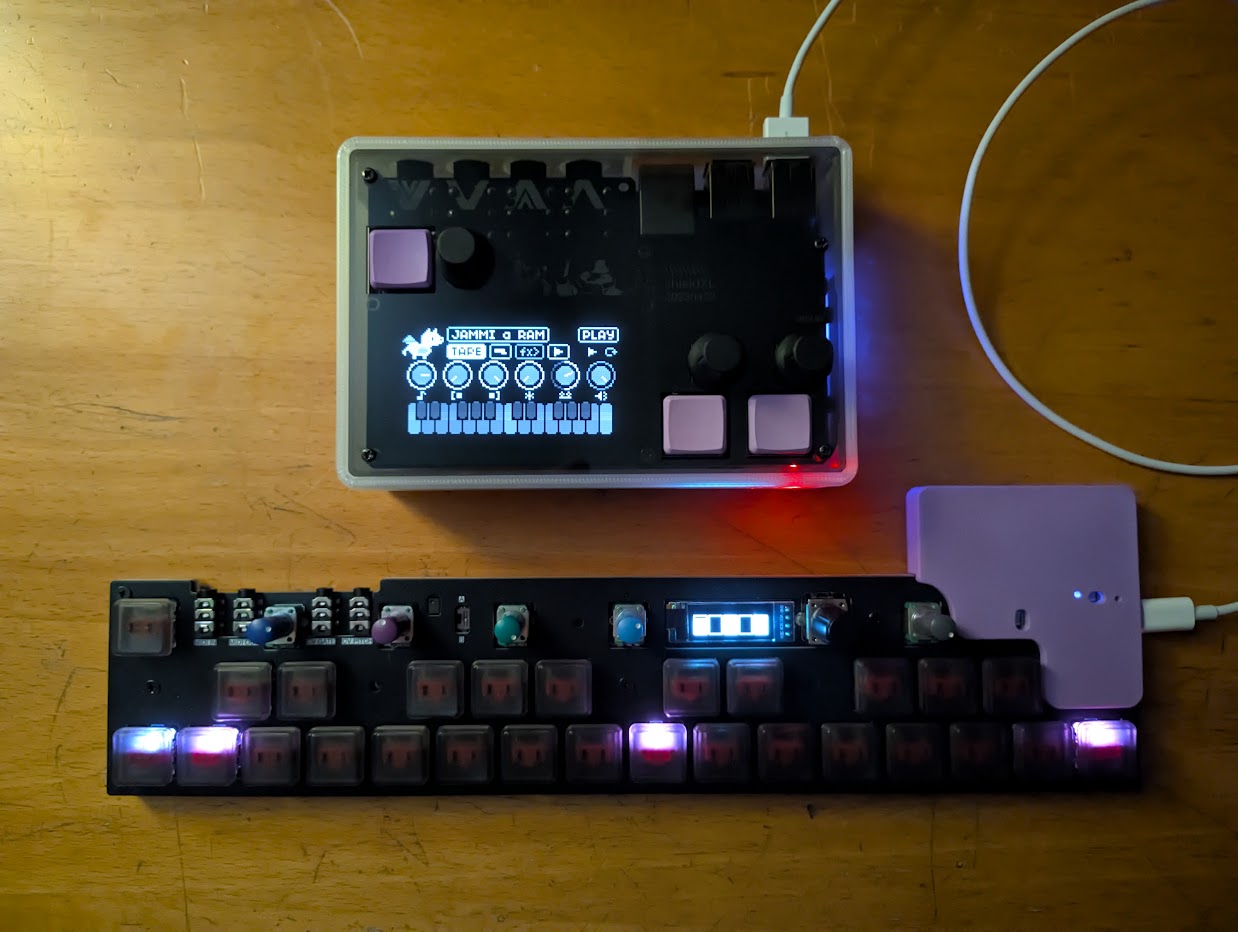
nidhogg is the CHOMPI open source firmware adapted to norns and the OMX-27.
Each of the three firmwares (TAPE, TEMPO, WAVE) is run using the actual code from the CHOMPI source, adapted to run under Linux. You can switch between them in the norns parameter edit screen - the state of each is saved when you switch away and resumed when you come back.
This has been tested on my shieldXL unit with a Pi4 2GB inside and on a Pi3 unit - like an official norns. Only the OMX-27, Exquis, Launchpad Pro and QuNexus are supported so far, if you’d like another controller supported please come chat with me in #nidhogg on my discord or open an issue here.
Thanks to the team at CHOMPI for open sourcing it, I hope this port does it justice.
Enjoy!
Contents
- What you need
- Installing
- Updating
- The keys and knobs
- The norns screen
- Knobs and pages
- Playing samples
- Shift
- Recording a sample
- The looper
- The OMX screen
- Other controllers
- Importing samples
- The library
- Settings
- TEMPO
- WAVE
- Credits
What you need
- A norns or norns shield.
- An OMX-27 plugged into the norns by USB, any of the three boards, or one of the other controllers.
- About 200 MB free, and wifi the first time.
The OMX-27 needs Quixotic7’s firmware, 1.15.4 or newer. If it has something older nidhogg offers to update it: press K3 to update or K2 to skip. Updating clears the OMX-27’s saved patterns. On a Teensy unit you may need to press the button on the Teensy when the screen asks. To update or repair one any time, use update OMX-27 in PARAMETERS > EDIT.
Installing
- In maiden, type
;install https://github.com/roge-rm/nidhogginto the REPL. - Load nidhogg from SELECT.
- The first time, it downloads CHOMPI’s factory samples, installs its SuperCollider plugins and restarts SuperCollider. This takes a few minutes, then nidhogg loads by itself.
The samples are in dust/audio/nidhogg, one folder per firmware, laid out like a CHOMPI SD card. To add your own, see Importing samples.
If SuperCollider won’t start after you’ve been logged in over ssh, restart the norns.
Updating
- In maiden, open the project list, find nidhogg and press update.
- Load nidhogg again. If its SuperCollider plugins have changed it installs them and restarts SuperCollider, then loads by itself.
Your samples, library and settings stay as they are.
The keys and knobs
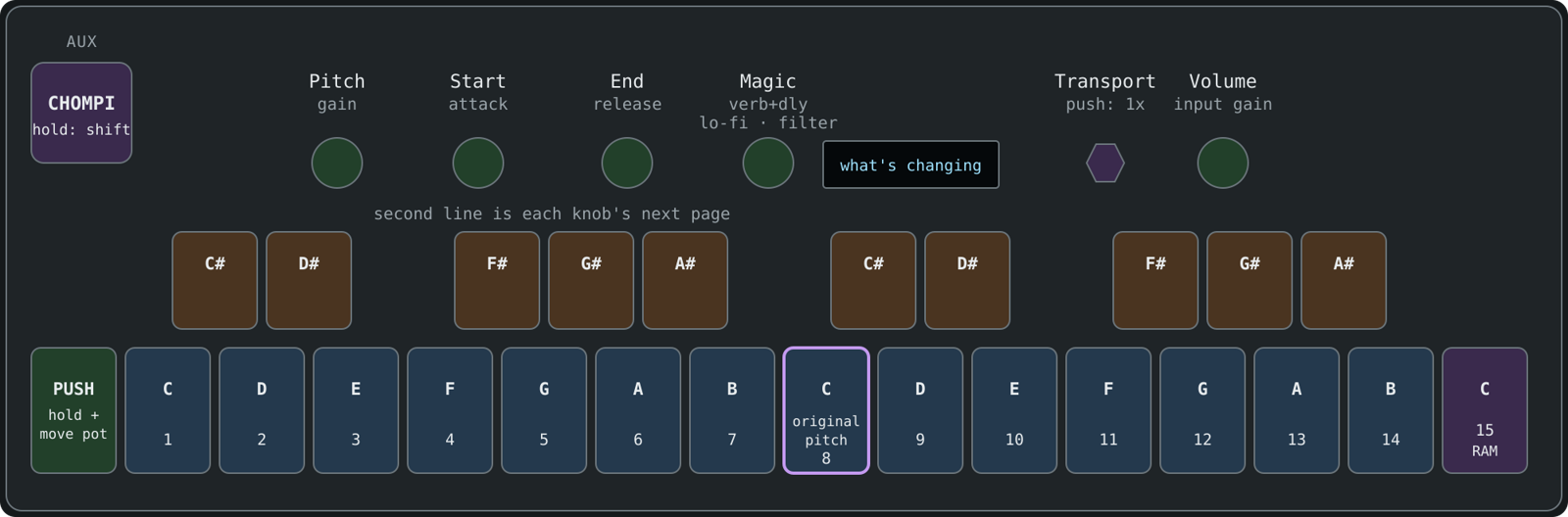
AUX is the CHOMPI key. The bottom row from the second key up and the ten top keys are CHOMPI’s keyboard. The top keys play the sharps, and with AUX held they’re the shift menu.
On the norns, E1 is CHOMPI’s switch. Left is Play, where AUX is shift. Right is Record, where AUX records. K2 is PLAY, K3 is LOOP, E2 is Transport and E3 is Volume.
The keys light up the same way CHOMPI’s do.
The norns screen
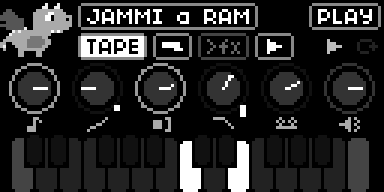
- The little dragon chomps when you play a note, puts headphones on when you record, bobs along when something’s playing and gets sleepy before the screensaver.
- The top row is what’s loaded and where the switch is. Under it are the firmware, the input, the effects order and the looper.
- The six knobs are Pitch, Start, End, Magic, Transport and Volume. Their rings light up like CHOMPI’s knob lights, and a mark on the side means a knob is on page 2 or 3.
- The keyboard lights up like the OMX keys.
Knobs and pages
Each knob does two or three things, called pages. Hold PUSH (the leftmost bottom key, or K1) and nudge a pot to go to its next page.
A pot won’t do anything until you sweep it past where the knob is set, then it takes over. The norns shows the knob up close while you turn it, with a dot where the pot is.
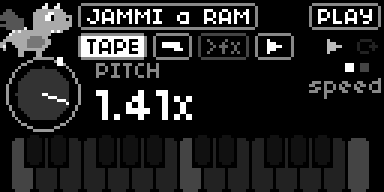
Pitch is a little sticky in the middle, so it’s easy to get back to.
| Knob | Page 1 | Page 2 | Page 3 |
|---|---|---|---|
| Pitch | speed. Right of the middle plays forward, left plays backwards | gain | |
| Start | where it starts playing | attack | |
| End | where it stops | release | |
| Magic | reverb and delay | lo-fi | filter |
| Volume | volume | input gain | |
| Transport | looper speed. Push for normal speed |
Playing samples
In JAMMI you play one sample across the keyboard. In CUBBI every white key has its own sample.
To pick a sample, hold AUX and press a white key. Keys 1-14 are the samples in the bank and key 15 is your own recording.
Shift
Hold AUX and the top keys and pots do something else.

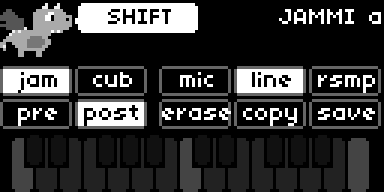
- Pitch tunes in fifths and fourths, and on page 2 it’s pan.
- Start and End move the whole sample window.
- Magic sets the delay time.
- Volume sets the compressor.
- K2 and K3 set the overdub level.
The lit chips on the norns are what’s chosen now.
Recording a sample
- Turn E1 right.
- Hold AUX while you make the sound.
- Turn E1 left and play it on the keys.
To keep it, hold AUX, press save, press a white key 1-14, then press AUX again.
The looper
- LOOP starts recording. Press it again to close the loop and keep overdubbing, and again to stop.
- PLAY stops and starts the tape. Hold it to rewind.
- Hold PLAY and LOOP to clear it.
- Transport changes the tape speed, and scrubs when it’s stopped.
The OMX screen
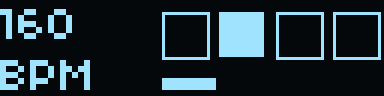
The little screen shows your knobs as five bars, one per pot, with a box when a knob is on page 2 or 3. A line in a bar is a pot that hasn’t taken over yet. It switches to the sample window when you turn Start or End, and to the levels when you record. Tap PUSH to pick what it shows the rest of the time.
 Knobs |
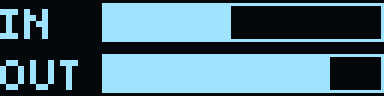 Levels |
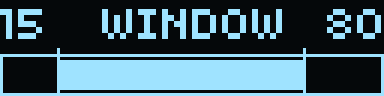 Sample window |
 Beat and tempo |
Other controllers
nidhogg can also be played from these, plugged into the norns by USB. Each has its own page:
- Exquis by Intuitive Instruments
- Launchpad Pro [MK3] by Novation
- QuNexus by Keith McMillen
Importing samples
nidhogg keeps a sample library on the norns, in dust/audio/nidhogg/library. CHOMPI’s banks are what’s loaded from it right now, and you can swap any pack in or out.
Plug a USB stick into the norns and the import screen comes up. You can also put files in dust/audio/nidhogg/import through maiden and open it from PARAMETERS > EDIT > import samples.
- E2 moves through the packs. Each folder of samples is a pack, and so is each folder inside a zip.
- K3 ticks a pack. K1 opens it, so you can tick single samples.
- E3 sets where a ticked pack goes: into a bank, added to a bank’s empty slots (+), or just into the library.
- The last row imports everything you ticked.
When it’s done the stick is unmounted, so you can pull it straight out, and SuperCollider restarts to load the new samples, which takes about 20 seconds.
- It reads wav, aiff, flac and ogg.
- Packs made for CHOMPI keep their slots. Other samples go in name order, and a pack with more than 14 spills into the next bank.
- Packs you’ve imported before show as in library.
- TEMPO cuts samples at 10 seconds.
- On WAVE, packs are wavetables made of 2048-sample frames, like Serum’s, or single cycles.
The library
Open it from PARAMETERS > EDIT > sample library. Each row is a bank.
- E3 picks a pack from the library for the bank.
- K1 opens the bank, and E3 then picks a single sample for each slot.
- The last row loads your changes.
Before a bank is replaced, whatever was in it is kept in the library, factory samples and your own recordings included, so nothing is lost.
Settings
These are in PARAMETERS > EDIT:
- firmware: TAPE, TEMPO or WAVE. Each one carries on where you left it.
- screensaver after: how long before the big dragon comes out.
- midi out to and midi in from. Notes come in on any channel, so MPE controllers play too.
- pressure to: aftertouch from the midi in device pushes a knob up from where it’s set, and lets it back when you ease off. CHOMPI has no pitch bend, so bend is ignored.
- tape, tempo and wave options: CHOMPI’s own settings. These take effect when you restart the norns.
TEMPO
TEMPO has two engines that play together. Chromatic plays one sample across the keys and slice cuts one into 16 pieces. Each has its own arpeggiator.
| E1 | left: AUX is shift. Right: AUX records |
| K2 | starts and stops the arpeggiator |
| K3 | latch |
| Encoder | tempo. Push to tap it |
| Magic | the granular delay. A quick push freezes it |
| AUX + top keys | chromatic, slice, mic, line, resample, state A, state B, erase, copy, save |
| AUX + K2, K3 | change the arpeggio and rest patterns |
WAVE
WAVE is a wavetable synth with a step sequencer.
| E1 | left: AUX is shift. Right: AUX mutes the sequencer |
| K2 | starts and stops the sequencer |
| K3 | records steps as you play. Hold it to delete the last one |
| Encoder | tempo. Push to tap it |
| Pitch | tuning, and on page 2 the wavetable position. Tuning is a little sticky in the middle |
| AUX + top keys | octave down and up, gate length, the two LFOs, erase, copy, save |
| AUX + white keys | load presets 1-14 |
Credits
CHOMPI is by CHOMPI Club, now part of Chase Bliss, with hardware and the original firmware by Electrosmith. The firmware is MIT licensed (github.com/CHOMPI-Club/CHOMPI) and the copy in third_party/chompi keeps its licences. The CHOMPI name and character are trademarks of CHOMPI Club, and nidhogg isn’t an official CHOMPI release.
nidhogg is MIT licensed too, see LICENSE. It comes with PJRC’s teensy_loader_cli for updating Teensy OMX-27s, which is GPL3.
The OMX-27 is by Denki Oto, with firmware by okyeron and Quixotic7.
How it works is in docs/design.md, and building the plugins in docs/building.md.
Source code/binaries: nidhogg-master-20261011.zip
Dan