
NMSVE.rm
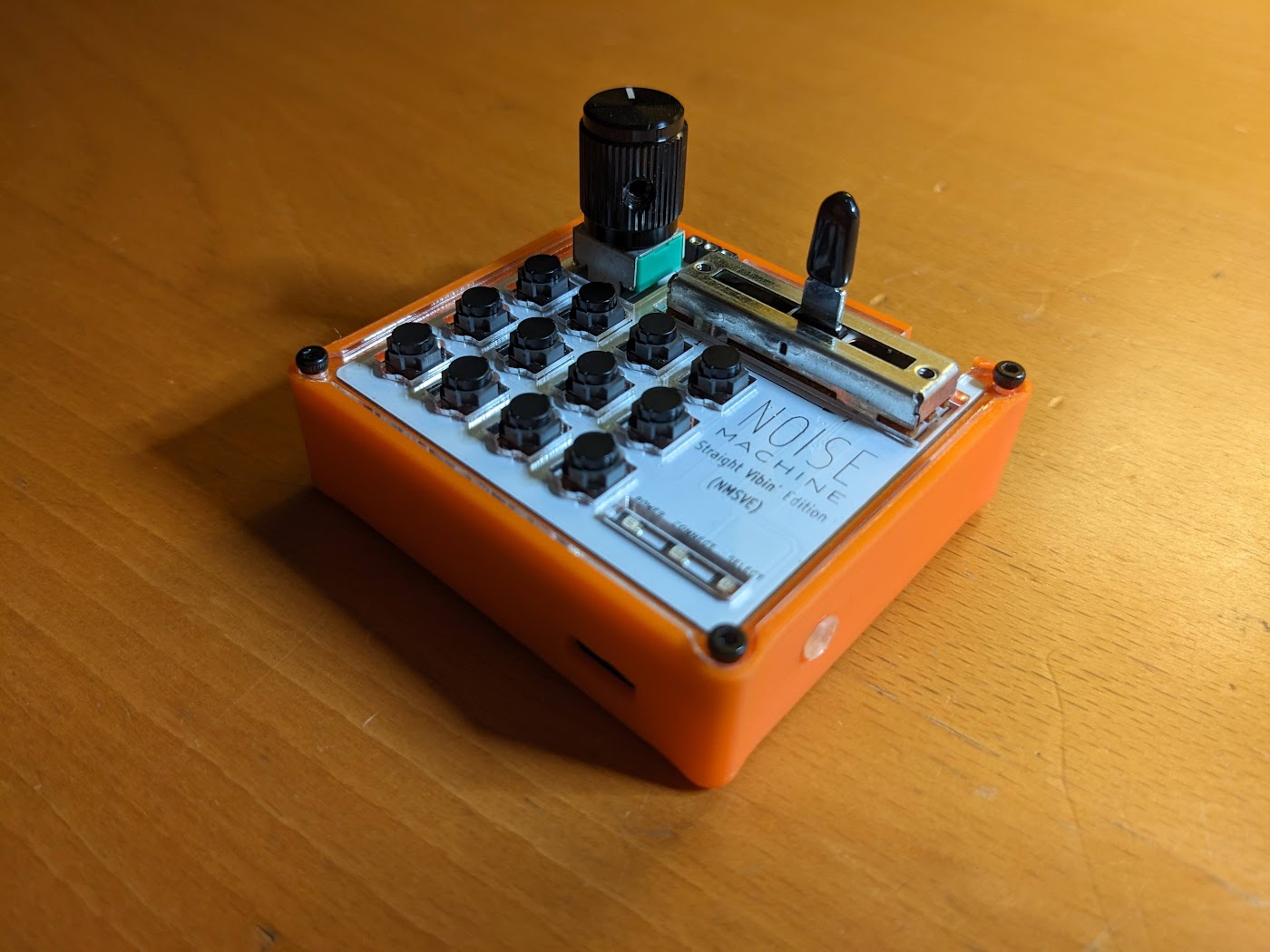
Alternative firmware for the NMSVE (Noise Machine Straight Vibin’ Edition) by this.is.NOISE, plus a 3D printed case that adds a TRS MIDI output.
- 16 scales and modes, from Major and the church modes to pentatonics, blues, augmented, diminished and chromatic
- Any root note
- Chord modes: play diatonic triads or 7th chords, either on every button or alongside single notes
- Selectable knob function: velocity, modulation, pan or expression
- MIDI over TRS, Bluetooth (BLE), or both
- 11 presets, recalled with a single button press at power-up
Contents
- The hardware
- Flashing the firmware
- Build options
- Using the NMSVE
- Changing settings while playing
- Credits
Hardware
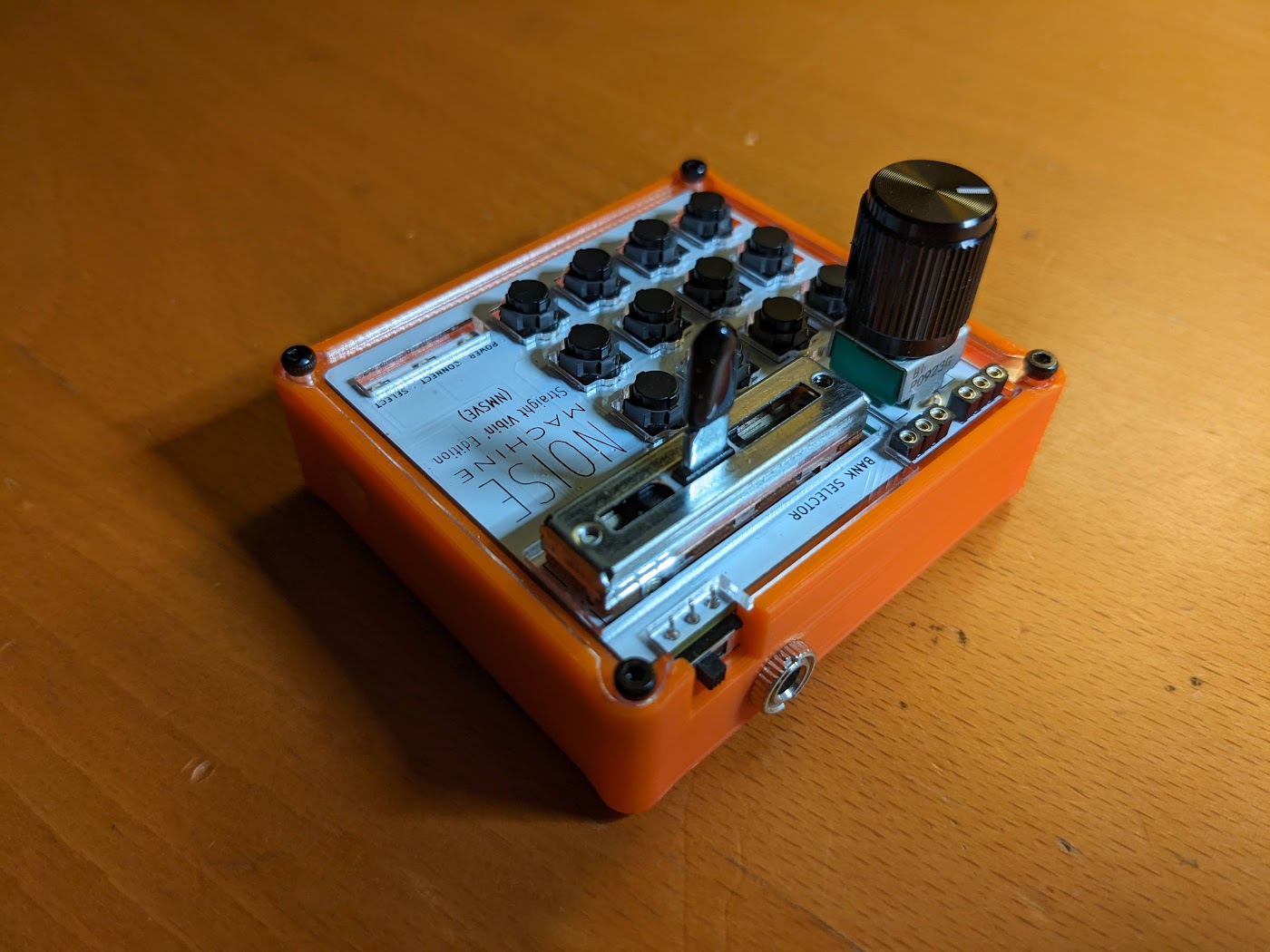
The firmware runs on a stock NMSVE (set ENABLE_TRS to false, see Build options), but the case in this repo adds a 3.5mm TRS MIDI out. The second revision of the case is larger than the original for better ergonomics, and has room for the TRS jack and a slightly larger battery. Both revisions are in on GitHub or at the bottom of this post.
Parts
- NMSVE
- 3D printed case
- Female 3.5mm TRS jack
- 33 Ohm resistor
- 10 Ohm resistor
- Hookup wire
- USB to TTL serial adapter (for flashing)
TRS wiring
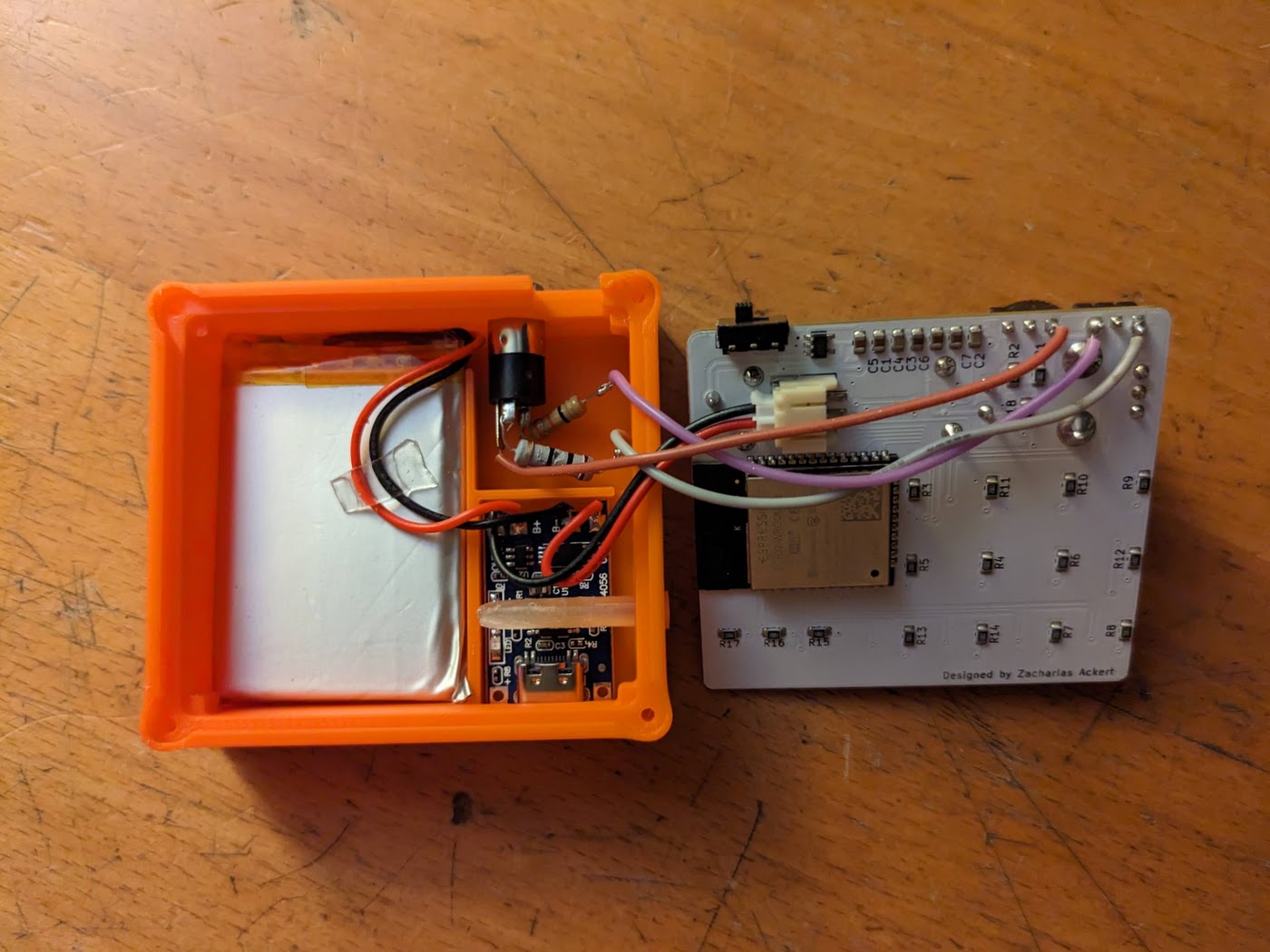
The jack is wired for TRS-A (see pinout):

- Ground goes to ground on the NMSVE
- The sleeve is wired through the 33 Ohm resistor to the 3.3V pin
- The tip is wired through the 10 Ohm resistor to the TX pin
[!NOTE] When the NMSVE powers on, the ESP32 prints debug information on the same serial port the TRS MIDI out uses. Connected gear receives a burst of non-MIDI data that it may read as a few notes or a transport start. Plug the MIDI cable in after turning the NMSVE on to avoid this.
Flashing the firmware
The code can be found on GitHub, or linked at the bottom of this post, and flashed with either the Arduino IDE or PlatformIO. Check the build options before flashing.
Connecting the NMSVE
- Connect a USB to TTL serial adapter to the NMSVE (see pinout):
- Black/GND to GND
- Green/TX to RX
- White/RX to TX
- Turn on the NMSVE while holding the boot pin to the ground wire. The POWER and CONNECT LEDs should stay solid, meaning it’s ready to flash.
Arduino IDE
- Install the Arduino IDE and add ESP32 support
- Install the MIDI and Bounce2 libraries
- Open
NMSVE_RMedit/NMSVE_RMedit.ino(the other files in the folder open as tabs) - Select the Firebeetle-ESP32 board and your adapter’s port
- Upload
PlatformIO
Run pio run -t upload from the repo root. PlatformIO installs the libraries for you.
Build options
These are set at the top of NMSVE_RMedit/config.h:
| Option | Default | What it does |
|---|---|---|
ENABLE_TRS |
true |
Set to false on an NMSVE without the TRS mod. Bluetooth becomes the only output. |
ENABLE_BLE |
true |
Set to false to leave out Bluetooth and use TRS only. |
UPWARD_BUTTONS |
false |
Set to true to flip the button rows so notes climb from the bottom row up (see Buttons). |
ENABLE_TRS and ENABLE_BLE can’t both be false; the code won’t compile. With only one output compiled in, the device always uses it and setup skips the output step.
The same file holds the default settings used before any preset is saved: TRS output, MIDI channel 9, Major scale, root note C and the knob set to velocity.
Using the NMSVE
Controls
Buttons
The 12 buttons are numbered in rows of four, starting at the top left:
| 1 | 2 | 3 | 4 |
| 5 | 6 | 7 | 8 |
| 9 | 10 | 11 | 12 |
With UPWARD_BUTTONS set to true the rows are reversed, so 1-4 are on the bottom row and 9-12 on the top. Button numbers in the rest of this README follow whichever layout is compiled in.
Notes are assigned in scale order from button 1 upward, starting on the chosen root note.
Fader and knob
- The fader picks the octave (0 to 8). The green LED is lit on odd octaves, so you can tell when you’ve moved one step.
- The knob does whatever you chose during setup: velocity, modulation (CC 1), pan (CC 10) or expression (CC 11). With the knob on velocity, turning it all the way down mutes the buttons.
LEDs
- The green LED blinks while the NMSVE is waiting for you to choose something: a preset, a setup step or a preset slot.
- Both LEDs flash together to confirm a choice.
- With Bluetooth output on, the blue LED blinks until a device connects, then stays lit. The Bluetooth device is called
NMSVE-rm-followed by six characters unique to your unit (the end of its Bluetooth address, e.g.NMSVE-rm-3AF21C), so several NMSVEs can be told apart. TRS output works while Bluetooth is waiting to connect.
Starting up
At power-up the green LED blinks while the NMSVE waits for a choice:
- Buttons 1-11 load that preset. An empty slot loads the default settings.
- Button 12 runs the full setup.
Full setup
Setup goes through each setting in turn. Press a button to make each choice.
1. Output (skipped if only one output is compiled in)
| Button | Output |
|---|---|
| 1 | TRS only |
| 2 | Bluetooth only |
| 3 | TRS and Bluetooth |
2. MIDI channel: buttons 1-12 select channels 1-12.
3. Scale: press buttons 1-12 for the first twelve scales, or hold buttons 1-4 for a second for the last four:
| Button | Press | Hold |
|---|---|---|
| 1 | Major | Minor Blues |
| 2 | Natural Minor | Augmented |
| 3 | Melodic Minor | Diminished |
| 4 | Harmonic Minor | No Scale (chromatic) |
| 5 | Dorian | |
| 6 | Phrygian | |
| 7 | Lydian | |
| 8 | Mixolydian | |
| 9 | Locrian | |
| 10 | Minor Pentatonic | |
| 11 | Major Pentatonic | |
| 12 | Major Blues |
4. Root note: buttons 1-12 select C through B, one semitone per button.
5. Knob function
| Button | Knob controls |
|---|---|
| 1 | Velocity (sent with each note) |
| 2 | Modulation (CC 1), as in the stock firmware |
| 3 | Pan (CC 10) |
| 4 | Expression (CC 11) |
You can then start playing. To keep these settings, save them to a preset.
Chord modes
Chords are built from the current scale, so they always stay in key. Each chord mode comes in two voicings: triads (root, 3rd and 5th) or 7th chords (root, 3rd, 5th and 7th).
| Mode | Buttons 1-6 | Buttons 7-12 |
|---|---|---|
| Off | Single notes | Single notes |
| Chords only | Chords on scale degrees 1-6 | The same chords an octave up |
| Chords + notes | Single notes | Chords on scale degrees 1-6, an octave below |
Chord modes are switched on and off from the settings menu.
Changing settings while playing
To reach the settings menu, turn the knob all the way left and slide the fader all the way right. No notes play in this position. Then hold one of these buttons for a second and release it:
| Button | Function |
|---|---|
| 1 | Change MIDI channel |
| 3 | Chords only, 7th chords |
| 4 | Chords + notes, 7th chords |
| 5 | Chords only, triads |
| 6 | Chords + notes, triads |
| 7 | Change scale |
| 8 | Change root note |
| 9 | Load a preset |
| 10 | Change knob function |
| 11 | Run the full setup |
| 12 | Save a preset |
Choosing the chord mode that’s already active turns chords off again. The MIDI channel, scale, root note and knob function choices work the same way as in full setup.
Presets
A preset stores the output, MIDI channel, scale, root note, knob function and chord mode.
- Save (hold 12): press buttons 1-11 to save to that slot, or 12 to cancel.
- Load (hold 9): press buttons 1-11 to load that slot, or 12 to run the full setup.
Presets are also offered every time the NMSVE powers on.
Credits
- Original NMSVE firmware: this.is.NOISE
- BLE MIDI based on neilbags’ BLE MIDI example
- The
ENABLE_BLEandUPWARD_BUTTONSoptions are based on a contribution by FalseTragedian
Source Code: NMSVE_rm-src.zip
GitHub Repository
Dan